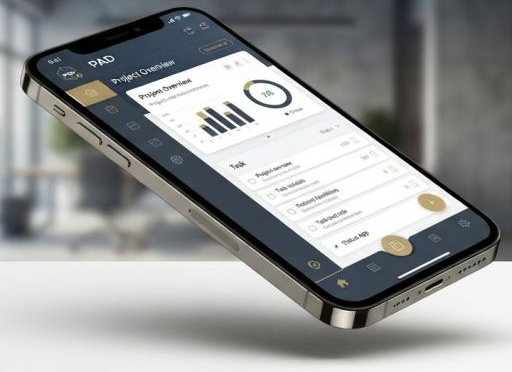
See how your app is used. Without tracking anyone.
Developer Hub shows app opens, screens, errors and store installs as anonymous counts. Connect an app with one key.
- event
- screen_view
- screen
- home
- platform
- android
- app_version
- 1.2.10
- day
- 2026-11-12
- name
- Names
- E-mail addresses
- user_id
- User IDs
Example of the fields Hub stores for each event.
Never stored: Names / E-mail addresses / User IDs / Message text / Stack traces
How it works
- 01
Add your app
Create an organization and add your app. It takes a minute.
- 02
Copy your key
You get an ingest key once. Only its hash is stored, so it can never be read back.
- 03
Read the counts
Your app sends anonymous events. You read usage and errors here.
What you will see
- Usage
- App opens, sign-ups and sign-ins as aggregate counts.
- Screens
- Which screens are used.
- Errors
- Where errors happen: area, screen, platform, version and day.
- Installs
- Store installs and uninstalls next to in-app usage, imported from Play data.
Anonymous by design
Hub counts events, not people. Your app's users are never identified, and you do not need to handle anyone's personal data to use it.
Read the privacy noticeStatus
Available today
- +Account with e-mail
- +English and Turkish
- +Light and dark theme
- +Organizations and apps
- +One-time ingest key
- +Row-level security on all data
- +Event ingest with rate limit
- +Usage, screen and error statistics
- +Install and uninstall import
- +Apps and websites
Start with your first app
Create an account, add an app, and get your key.